Thanks!
If you liked this, we would love for you to share it with more people.




Sprint planning has become one of the core practices for Agile software teams, often determining whether delivery remains predictable or starts to drift mid-cycle.
As teams scale or manage multiple workstreams, planning becomes more complex. Basic task tracking is no longer sufficient, especially when multiple stakeholders are involved, and priorities change frequently.
Sprint planning tools address this gap by supporting structured backlog preparation, while also making capacity and progress visible across the team. For that reason, many Agile teams rely on dedicated sprint planning tools to reduce ambiguity during planning and improve the consistency of sprint commitments.
In this guide, we’ll break down:
Let’s dive in.
A sprint planning tool is software that helps Agile teams plan, organize, and track work within a sprint cycle (typically 1–4 weeks). It centralizes sprint planning activities so teams can align on scope, capacity, and execution before development begins.
These tools typically allow teams to:
Not all tools handle sprint planning in the same way. Some focus heavily on backlog and task management, while others are built around capacity planning, reporting, or cross-team visibility. In practice, the difference between a good tool and a poor fit usually comes down to a small set of core capabilities that directly affect how teams plan and deliver work.
At the core of every successful sprint is a well-structured backlog. A strong sprint planning tool should allow teams to easily create, organize, and prioritize user stories without unnecessary complexity. More importantly, it should support continuous backlog refinement, not just static task lists.
Effective backlog management includes breaking down large epics into smaller, actionable stories, adjusting priorities as business needs evolve, and clearly defining acceptance criteria so work is ready for development. When backlogs become cluttered or outdated, sprint planning sessions tend to slow down, and sprint goals become less precise. A well-designed tool keeps the backlog clean, current, and actionable so each sprint starts with a clear and focused scope of work.
Accurate estimation is one of the most challenging yet critical aspects of Agile development. Sprint planning tools should go beyond simple task assignment and enable teams to realistically assess effort using story points, planning poker, or workload distribution features.
More advanced tools also provide visibility into team capacity, helping prevent overcommitment, a common issue that leads to missed deadlines and burnout. When estimation and capacity planning are handled effectively, teams can make more reliable commitments and build trust with stakeholders through consistent delivery.
A strong sprint planning tool should provide clear, reliable metrics such as burndown charts, velocity tracking, and cycle time analysis. These indicators help teams understand whether sprint commitments are realistic and how consistently work is being delivered.
Beyond sprint reviews or retrospectives, these insights play a direct role in day-to-day planning. For example, consistent velocity trends can guide sprint planning decisions, while burndown charts show whether progress is aligned with expectations or starting to fall behind. Cycle time data adds another layer, showing how long work typically takes to move from “in progress” to “done.”
Without these insights, teams are essentially operating on intuition rather than evidence.
Modern software teams rely on multiple tools across the development workflow, including version control systems like GitHub and communication platforms like Slack. Since work is distributed across these systems, sprint planning cannot exist as a standalone process. A sprint planning tool needs to integrate with this ecosystem so planning, development, and communication remain aligned throughout the sprint.
Strong integrations allow work to flow across tools without manual duplication. Developers can link commits and pull requests directly to tasks, status updates can sync automatically, and progress remains visible in real time. This not only improves efficiency but also ensures better visibility across technical and non-technical stakeholders.
What works for a team of five may not work for a team of fifty. As organizations grow, their sprint planning needs become more complex, requiring support for multiple teams, cross-team dependencies, and advanced reporting.
A scalable sprint planning tool should be able to evolve with your organization, supporting everything from simple sprint boards to enterprise-level Agile frameworks. Choosing a tool that can grow with your team prevents the need for disruptive migrations later on.
As teams scale, some organizations pair new tool adoption with additional engineering support to help with faster rollout and smoother integration into existing workflows.
Here’s a breakdown of the sprint planning tools widely used by Agile teams today, along with what each one is best suited for in day-to-day sprint planning and delivery.
Best for: Enterprise and scaling Agile teams
Starting Price: Free (up to 10 users), paid plans from ~$8/user/month
Jira is a widely used Agile project management tool built for software teams that need structured sprint planning, backlog management, and reporting.
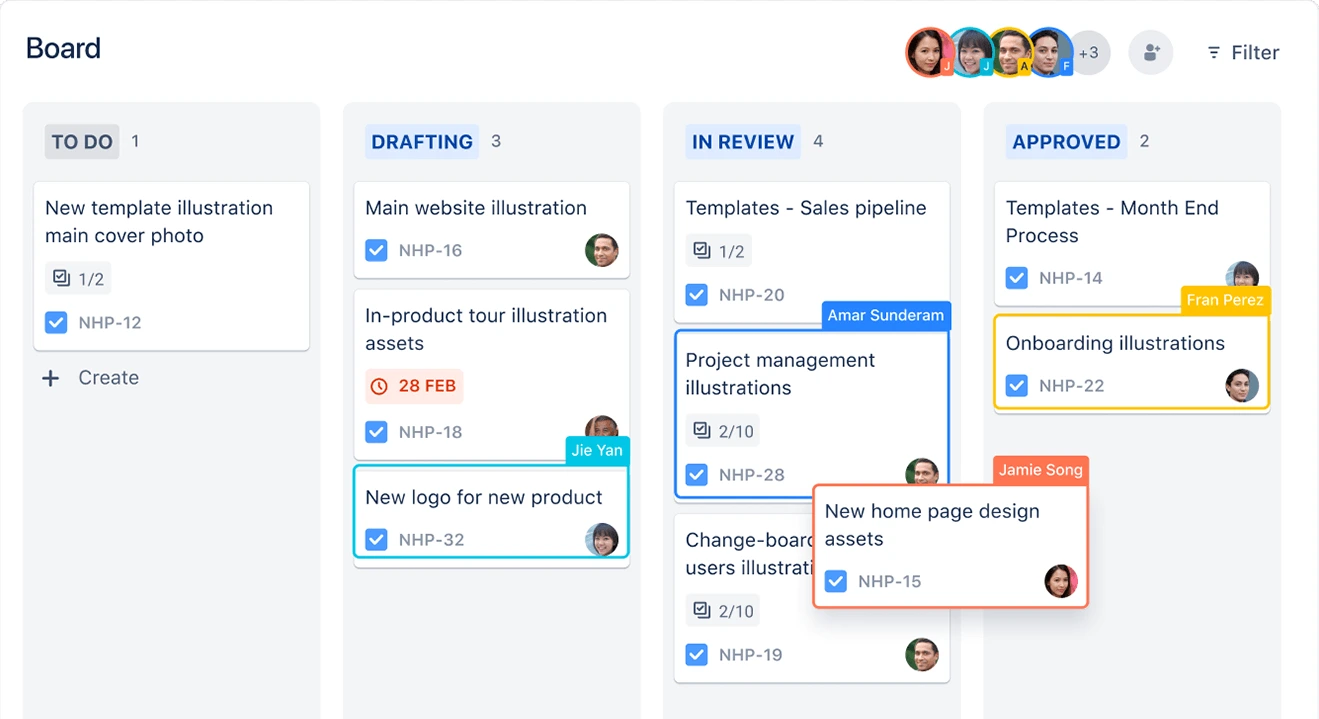
Jira is best suited for teams managing complex products or multiple squads that need a consistent sprint structure and tracking. It provides strong control over backlog organization, sprint planning, and reporting, which makes it effective for environments where predictability and process alignment are crucial.
However, it is not immediately plug-and-play. Teams typically need to invest time in configuring workflows and defining processes before they become fully effective in day-to-day use.
Best for: Teams wanting an all-in-one productivity suite
Starting Price: Free plan available; paid from ~$7/user/month
ClickUp combines sprint planning, docs, time tracking, and goals into one unified workspace.
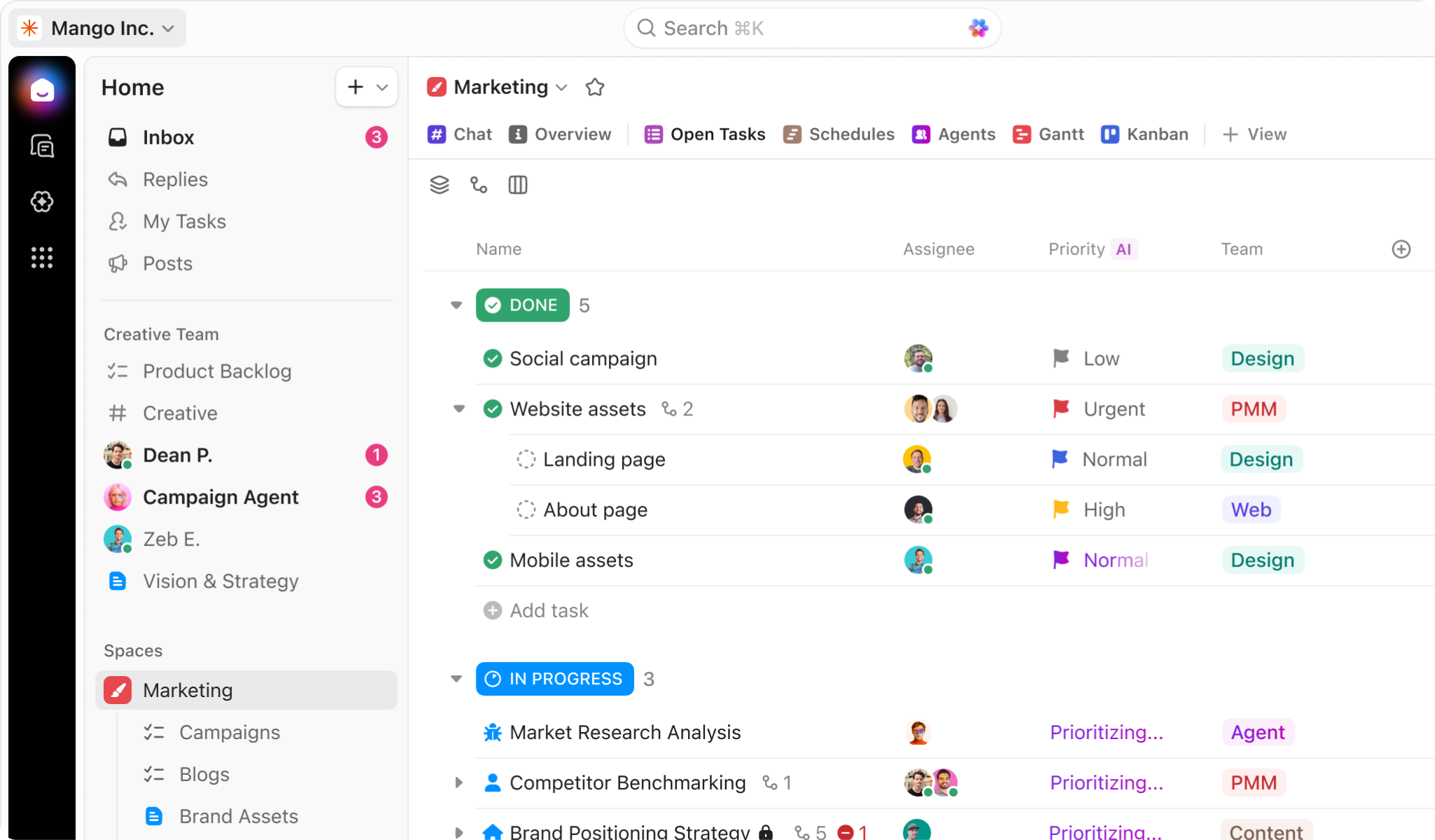
ClickUp’s strength lies in its versatility. Unlike tools built specifically for Agile, ClickUp positions itself as an all-in-one workspace, which can be both an advantage and a challenge. For teams that want to consolidate tools and manage everything from sprint planning to documentation in one place, it offers significant efficiency gains. However, Agile teams may need to spend time customizing workflows to fully replicate traditional sprint planning structures. When configured well, ClickUp becomes a powerful platform that balances flexibility with operational visibility.
Best for: Small Agile teams and startups
Starting Price: Free; paid plans from ~$5/user/month
Trello is a lightweight Kanban-based tool that visualizes sprint planning through simple drag-and-drop boards.
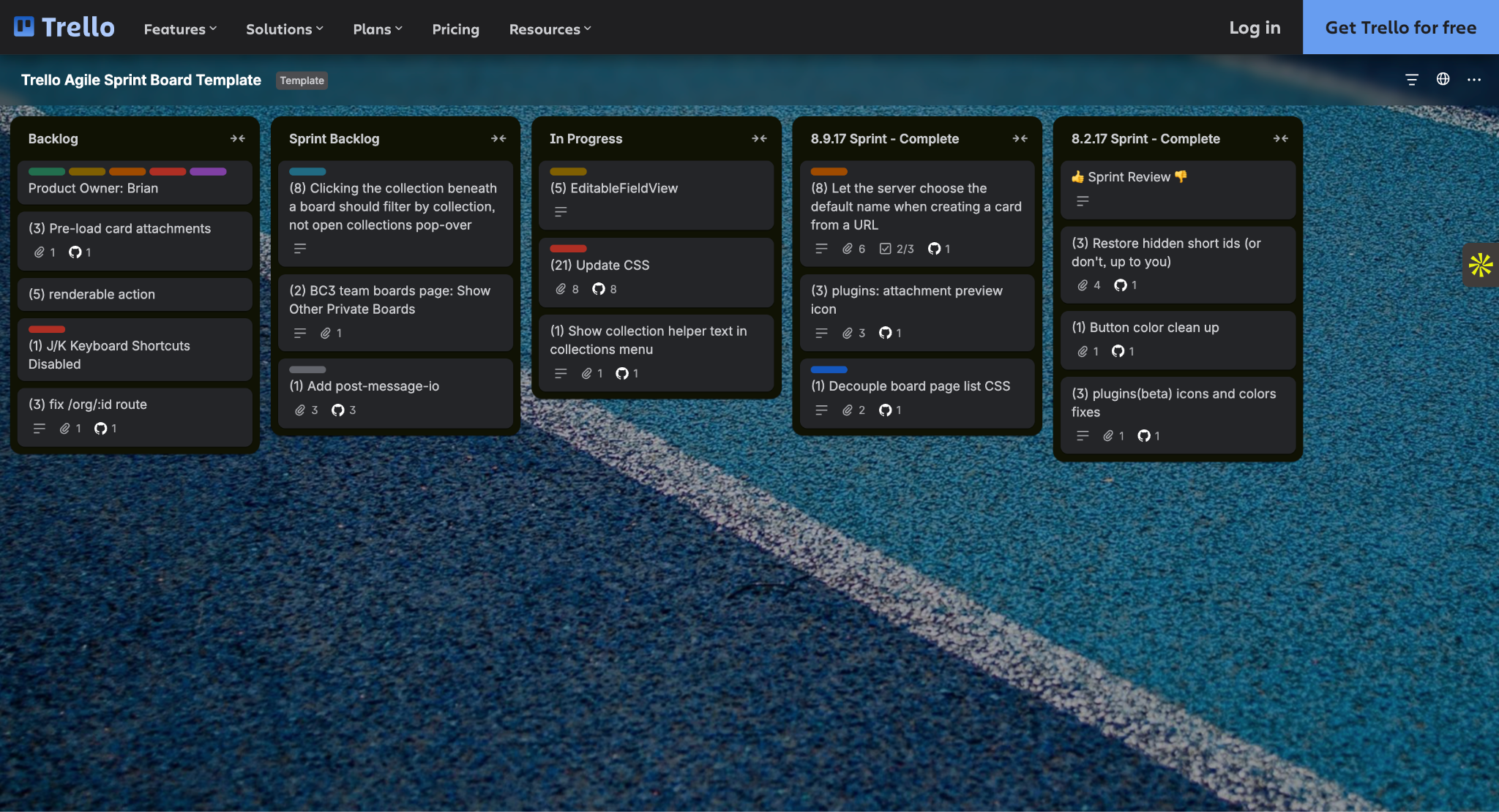
Trello is built around simplicity, making it a strong fit for teams that want a visual and lightweight approach to sprint planning without the overhead of more complex Agile tools.
It works well for small teams or early-stage startups where sprint processes are still evolving, and speed of setup matters more than advanced configuration. However, as teams grow and require deeper reporting, dependency tracking, or structured Agile frameworks, Trello’s simplicity can become a limitation.
Best for: Cross-functional product teams
Starting Price: Free; paid plans from ~$10.99/user/month
Asana is a work management platform that supports Agile workflows while also extending to marketing, operations, and business teams.
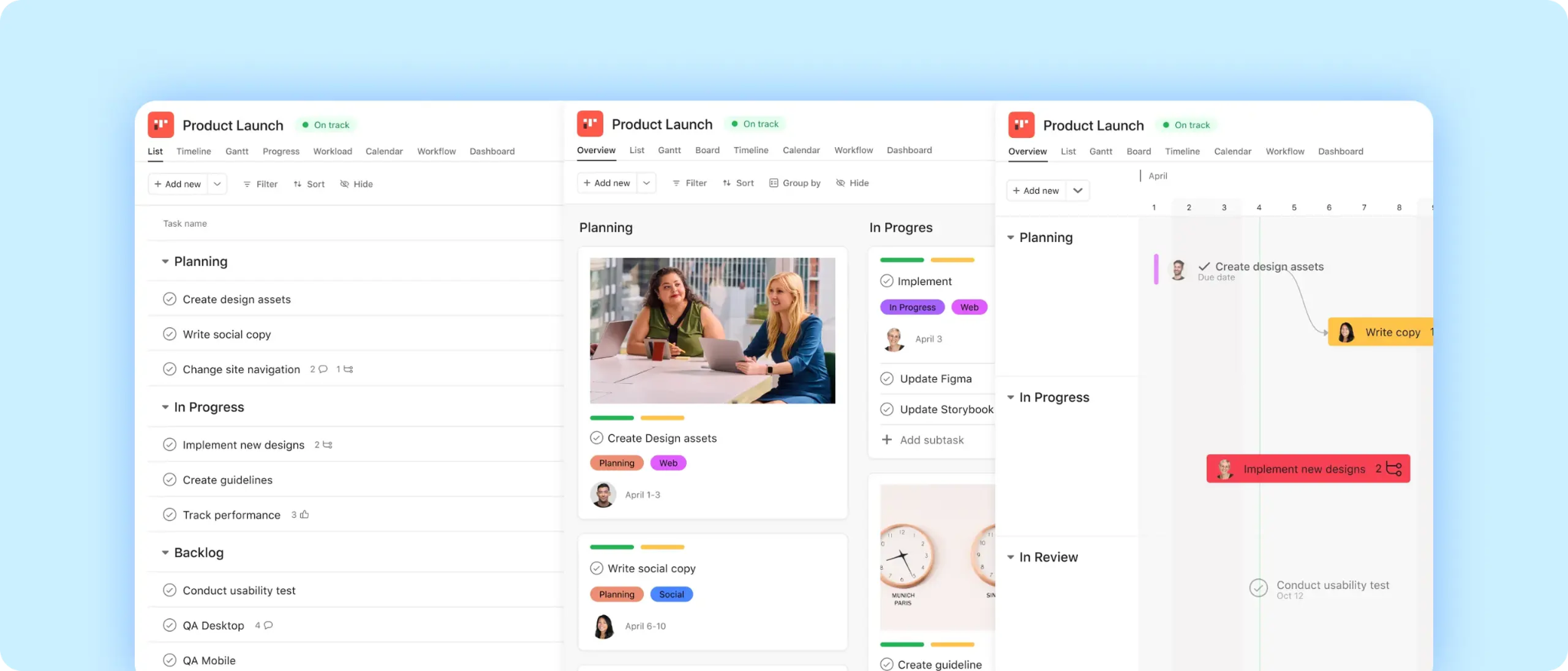
Asana is best suited for organizations where sprint planning needs to align with broader business initiatives across multiple functions. It provides strong visibility and coordination between teams, making it useful in cross-functional environments where engineering is only one part of the workflow.
However, because it is not built specifically around Agile execution, teams that require deeper sprint-specific functionality may find it less specialized compared to dedicated Agile tools.
Best for: Visually driven teams
Starting Price: From ~$8/user/month
Monday.com is a highly visual work management platform that focuses on simplifying project tracking through customizable boards and dashboards.
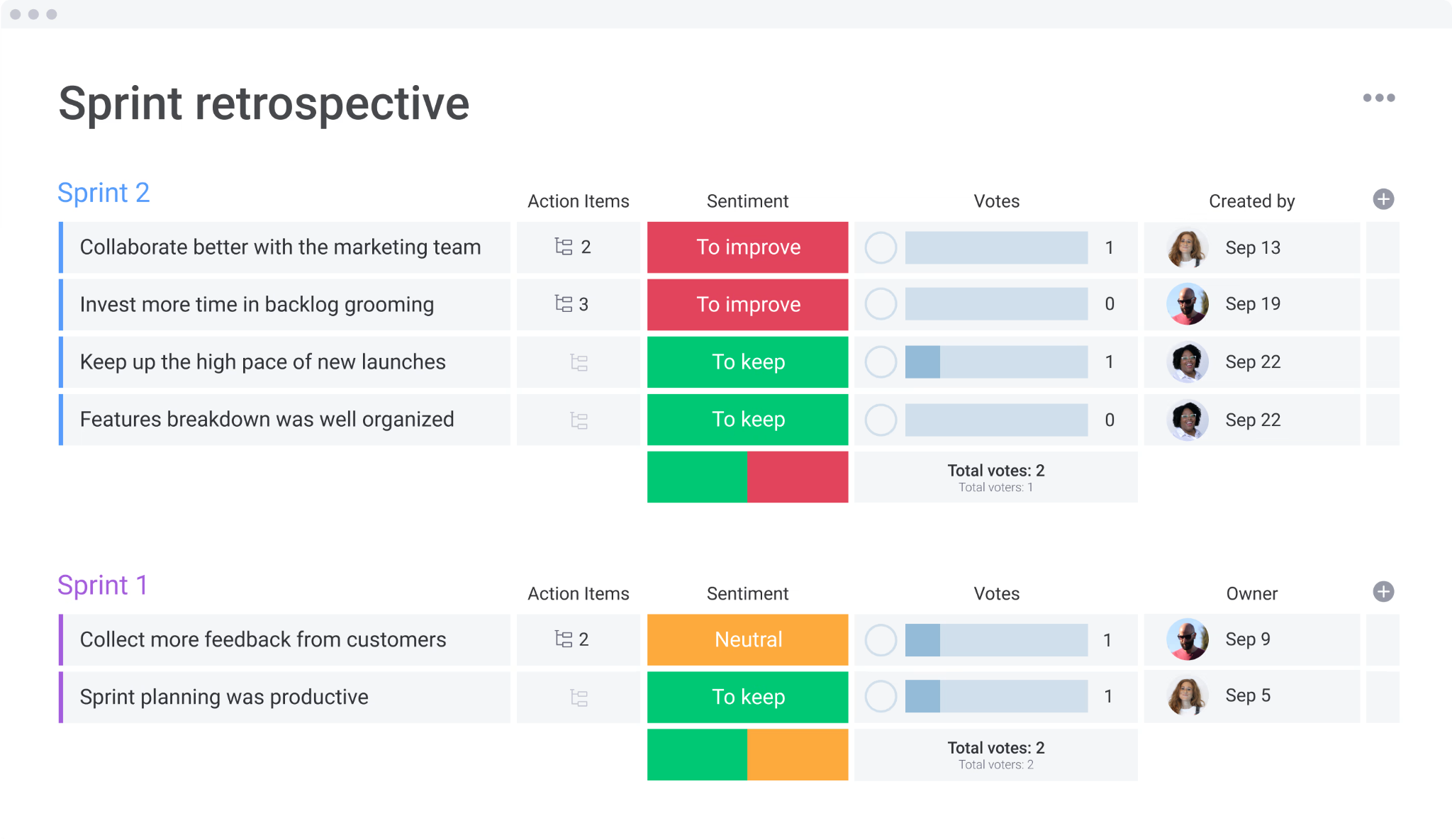
Monday.com emphasizes visual clarity and ease of use, making sprint planning more accessible to non-technical stakeholders. Its dashboards and customizable boards allow teams to quickly understand project status without digging into detailed reports. This makes it a strong choice for organizations where transparency and communication are key. However, for highly technical Agile teams, it may lack some of the depth found in more specialized tools.
Best for: Microsoft ecosystem development teams
Starting Price: Free for small teams
Azure DevOps is an integrated platform that combines sprint planning with version control, CI/CD pipelines, and testing tools.
Azure DevOps is designed for teams that want sprint planning to be directly connected to the rest of the development lifecycle. Instead of treating planning, coding, testing, and deployment as separate stages, it brings them into a single system where work can be tracked from backlog to production. This makes it particularly effective for teams already working within the Microsoft ecosystem or those that need strong alignment between engineering and release processes.
Best for: Budget-conscious Agile teams
Starting Price: From ~$1/user/month
Zoho Sprints offers core Agile functionality at an affordable price.
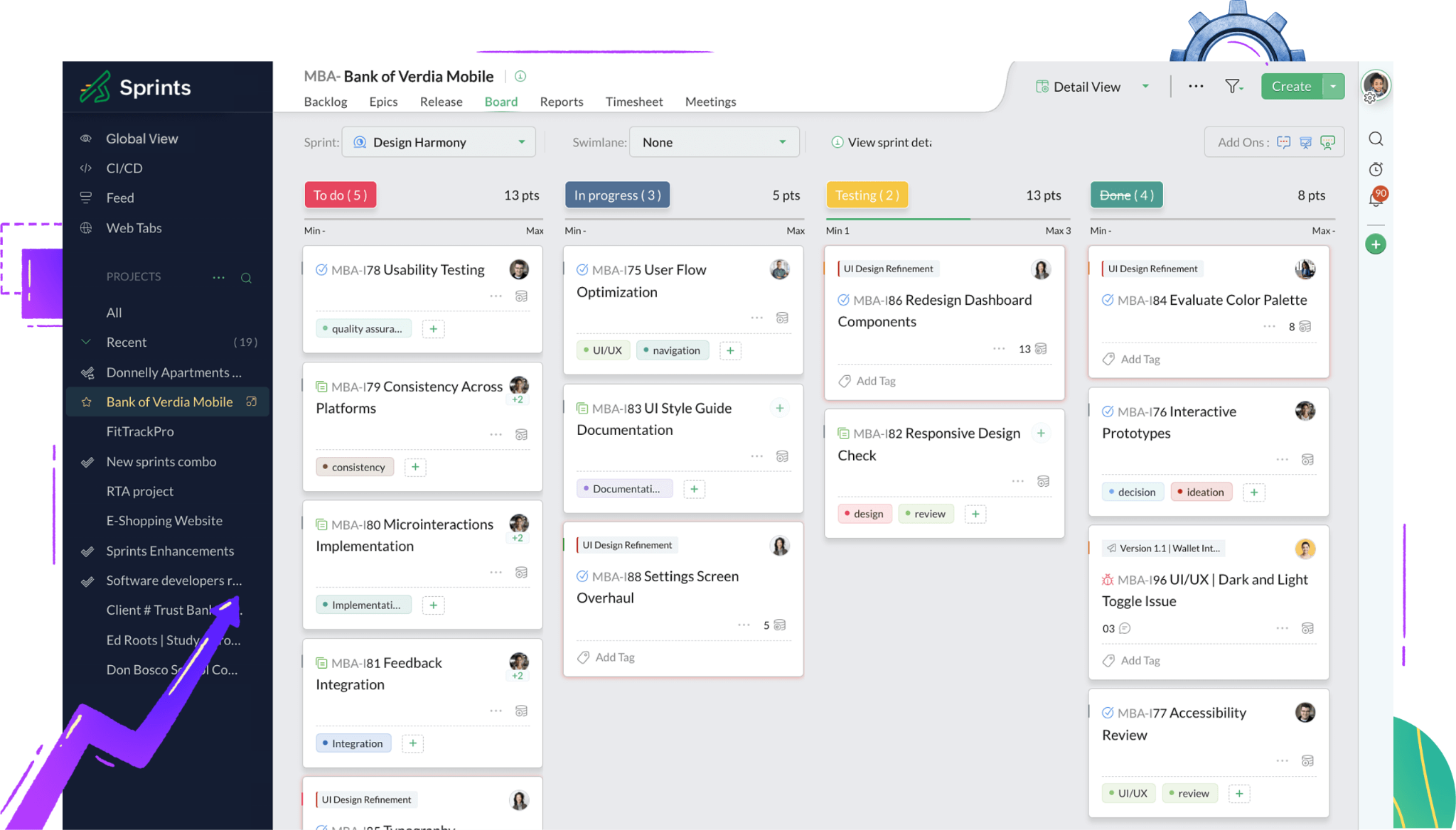
Zoho Sprints offers a streamlined approach to Agile project management, focusing on core sprint planning functionality without unnecessary complexity. It’s particularly appealing for smaller teams or organizations that want a cost-effective solution without sacrificing essential features. While it may not offer the same level of depth or integrations as larger platforms, it provides a solid foundation for teams looking to implement Agile practices efficiently.
Best for: GitHub-native development teams
Starting Price: From ~$8.33/user/month
Zenhub integrates directly inside GitHub, allowing developers to manage sprints without switching tools.
Zenhub is designed for teams that manage their entire development workflow within GitHub. By embedding sprint planning directly into the development workflow, it eliminates the need to switch between tools, which is a common source of friction in Agile environments.
It is highly effective for engineering-focused teams but less suited for organizations that require broader visibility across non-technical stakeholders.
Choosing the right sprint planning tool ultimately comes down to alignment, not just with your current workflows, but with how your team is expected to grow. While features and pricing are important, the real value of a tool lies in how well it supports your team’s decision-making, collaboration, and consistency in delivery.
For smaller teams, simplicity and ease of adoption may matter more than advanced analytics. For larger organizations, scalability, reporting depth, and integration with development pipelines become critical. It’s also important to consider who will be using the tool, such as developers, product managers, and stakeholders, and ensure it provides the right level of visibility without adding unnecessary complexity.
%20(1).png)
.png)
%20copy.webp)

.png)
Top%2010%20HealthTech%20Trends%20Shaping%20the%20Future%20of%20Healthcare%20in%202026_.png)